
A LITTLE MOMENT. A LASTING MEMORY.
Relive it in
photos and voice.
A smile. A familiar voice. The feeling of being there. Keep the moments you want to come back to, with TimeCapsule.
Bring a photo, a voice recording, and a caption together in one memory.
See how it works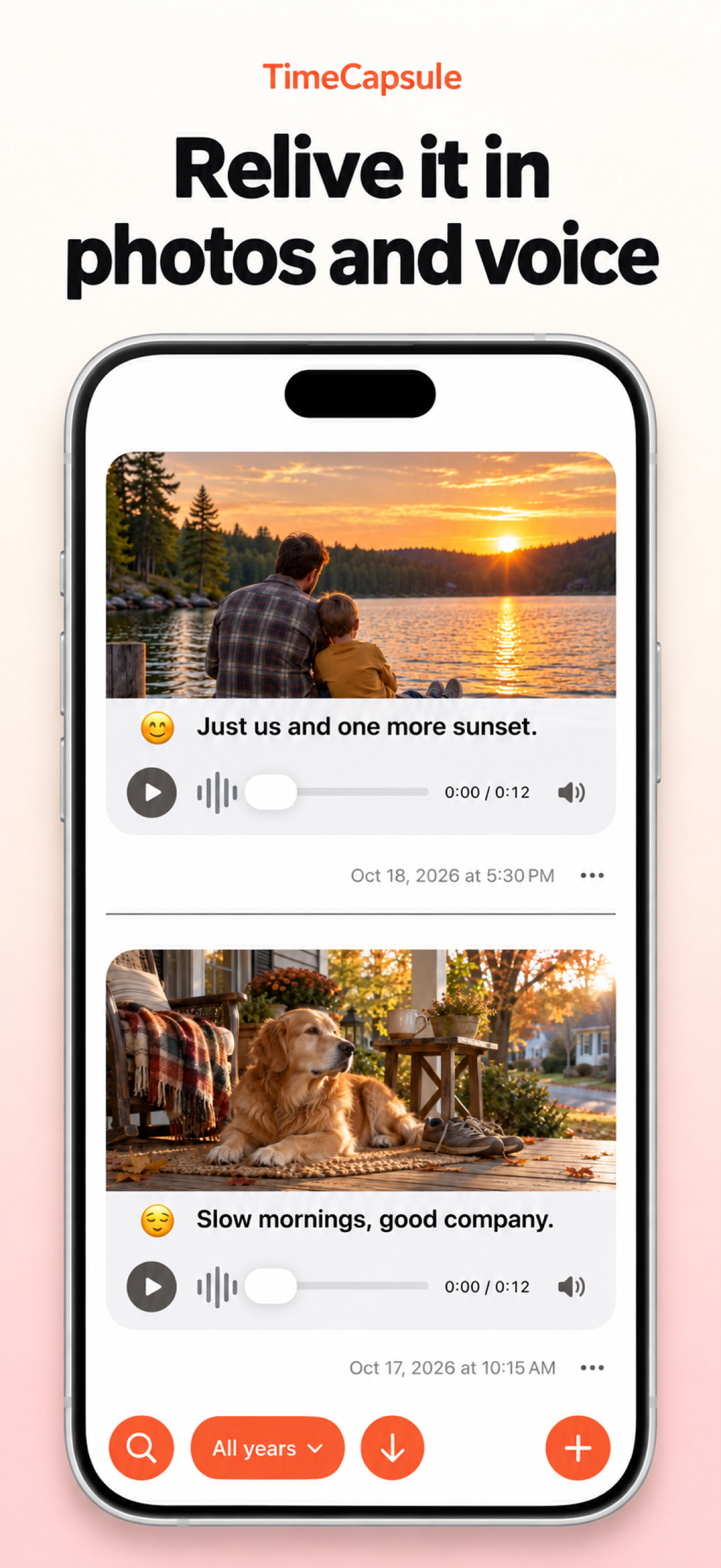 Enlarge image
MAKE A MEMORY
Three steps. One little time capsule.
From the moment it happens to a memory you can return to.
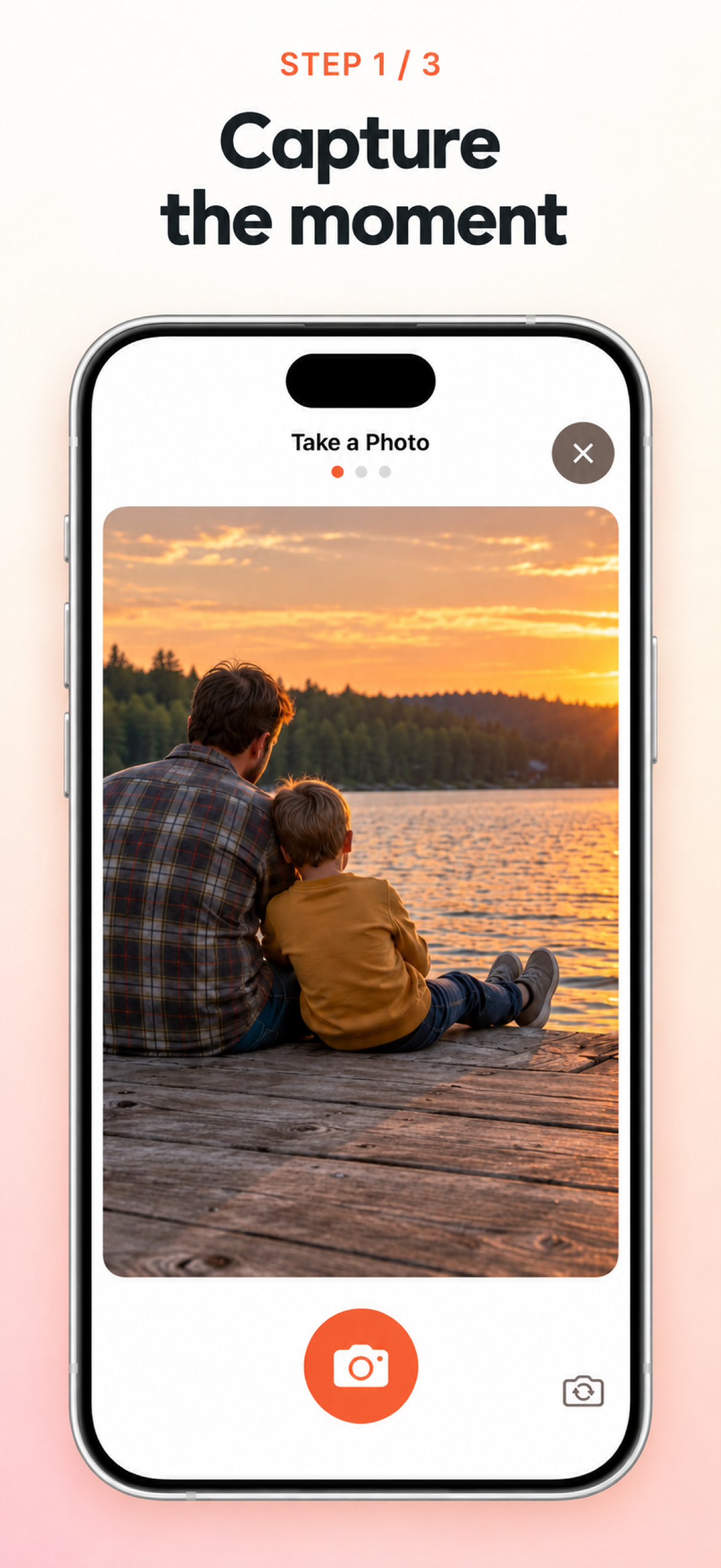
Capture the moment.
Take a photo of something you want to remember. The big adventures and the ordinary days both belong here.
 Enlarge image
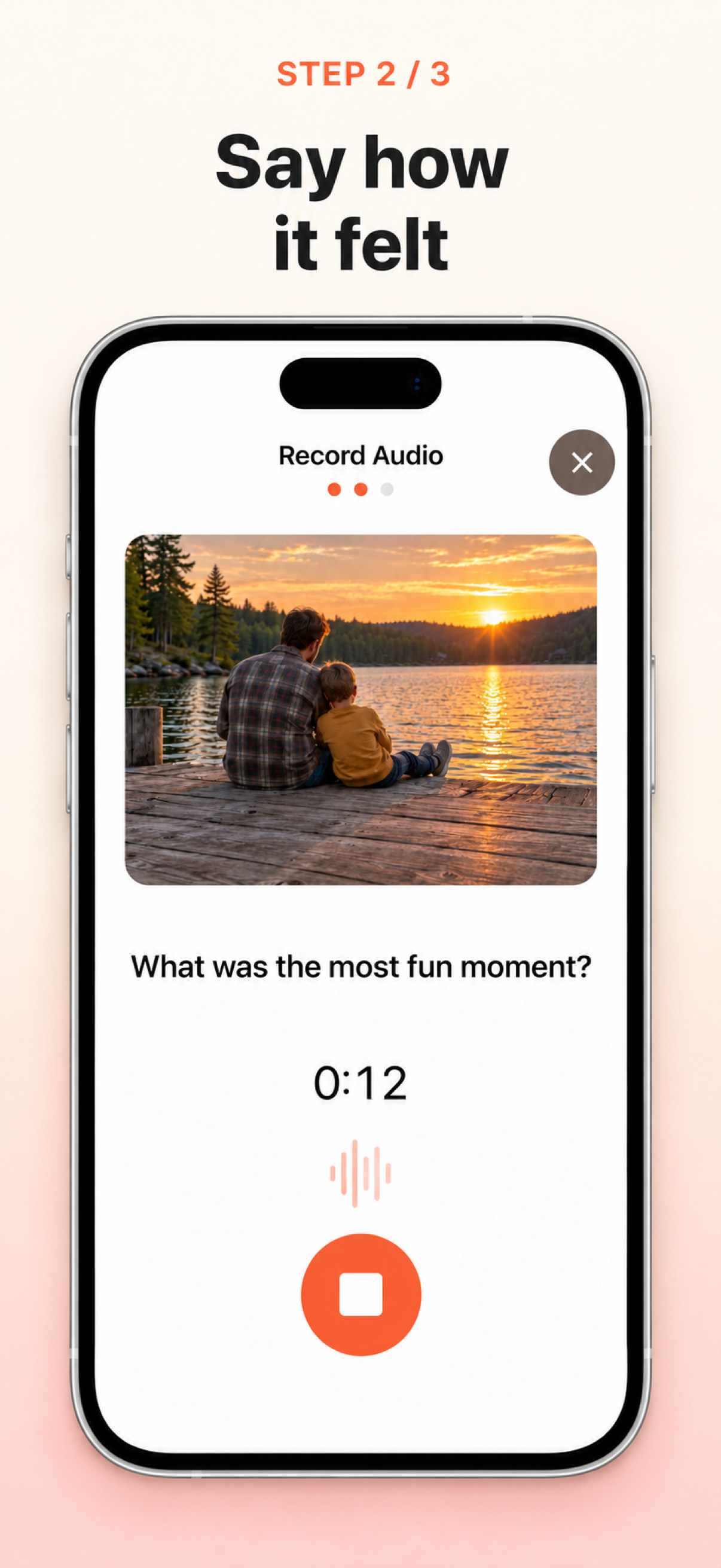
Say how it felt.
Record your voice while the moment is still fresh. Keep the story and the feeling behind the photo.
 Enlarge image
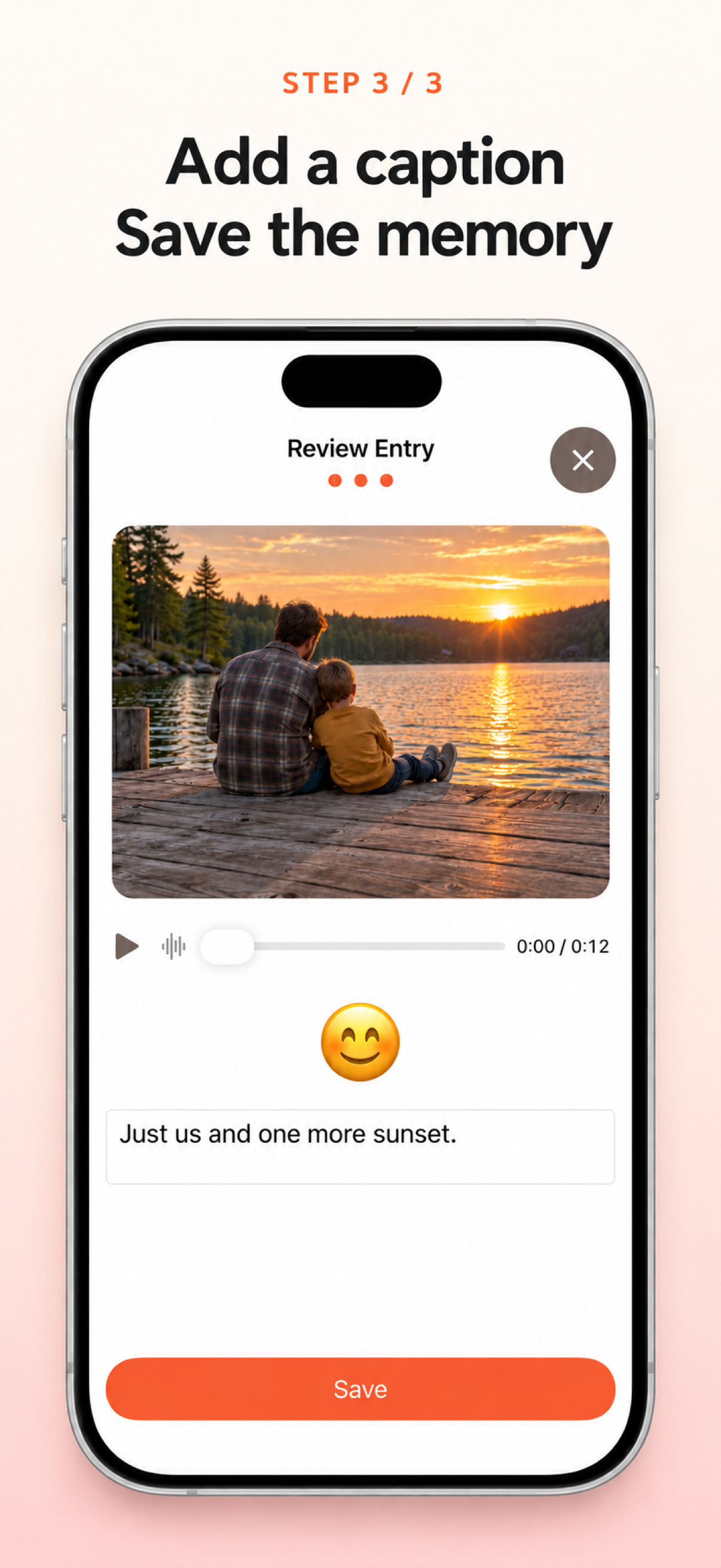
Make it a memory.
Add a caption and an emoji, then save. Apple’s AI features automatically generate the caption and emoji for you to review.
 Enlarge image
Today’s moments, tomorrow’s treasures
Keep today close.
Your photos. Your voice. Your moments to return to.